
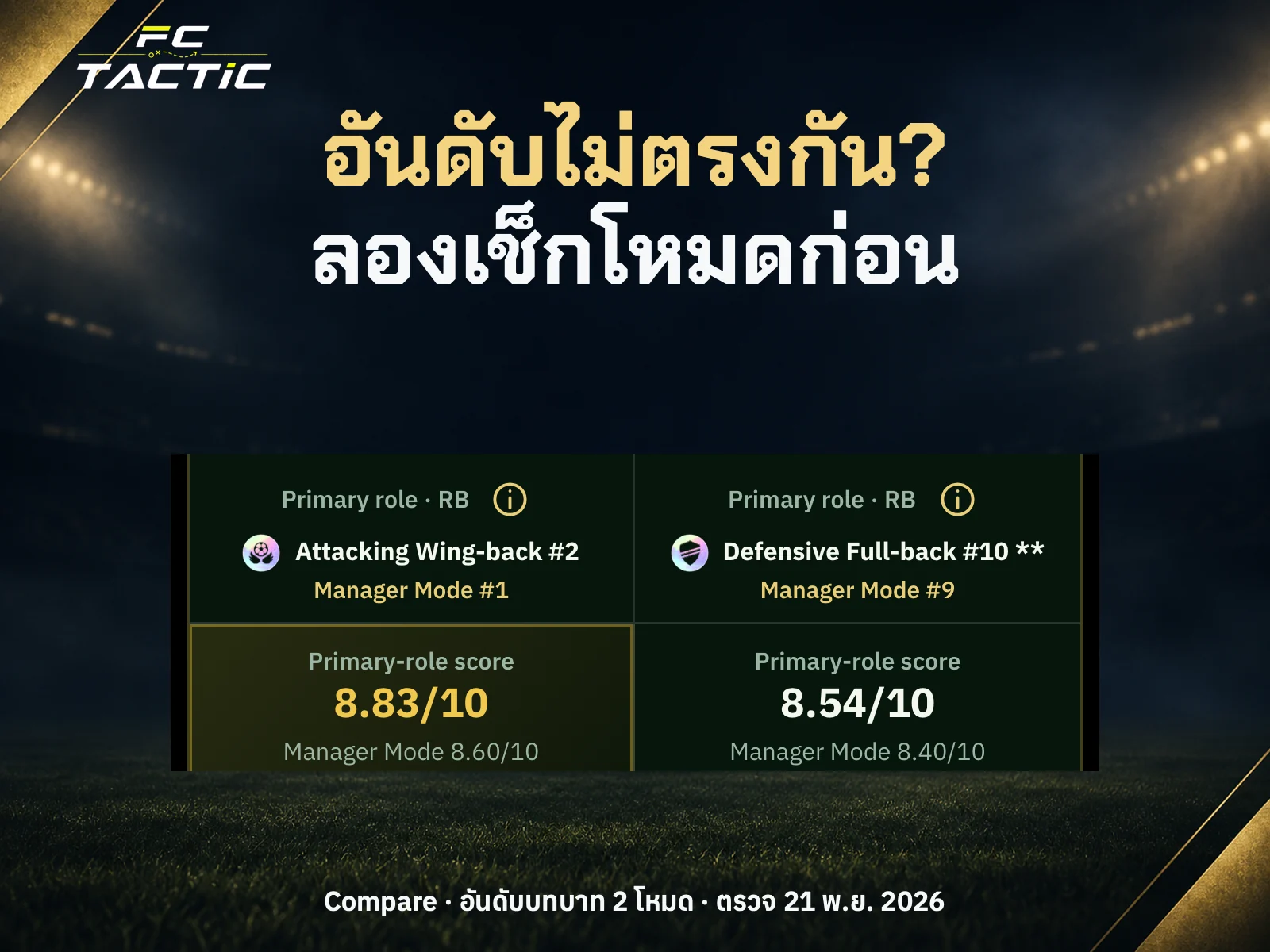
Compare rank doesn’t match TOP 10? The site isn’t broken — Compare now shows the regular and Manager Mode role ranks in one cell
FC TACTIC Feature Spotlight
Ever opened Compare, seen Lahm 124 as the No.2 wing-back, then switched to TOP 10 for the same role and found him at No.1? Hold on — which one is telling the truth?
Both are. They are simply different modes. Since 20 November, the role cell in Compare shows the regular rank and the Manager Mode rank together, so you no longer have to guess which conditions you are looking at.
A real example: Lahm 124
We opened Lahm 124 (RIVALS) against Lahm 122 at RB on the live site on 21 November. Lahm 124’s primary-role cell reads:
- Attacking Wing-back, regular mode No.2 · score 8.83/10
- Manager Mode No.1 line · score 8.60/10
The rank moves because the two modes weight attributes differently. The card itself has not got better or worse.
Match the conditions in TOP 10
- Pick the same role, then match the mode — if TOP 10 has Manager Mode on, read the “Manager Mode #…” line in Compare
- Turn collection bonuses off in TOP 10 before comparing: Compare role ranks do not include collection bonuses yet
- The Manager Mode rank in this cell uses the best position within the role group (the same as TOP 10), not the position you are currently comparing
TOP 10 also shows a small Manager Mode badge in the top-right corner when that mode is on, so you can tell at a glance which table you are reading.
Ranks and scores are FC TACTIC engine estimates from card attributes, not real match results, and they can change when card data updates · The figures above were checked on the live site on 21 November 2026
Open Compare with Lahm 124 and Lahm 122 at RB, then switch to the TOP 10 Attacking Wing-back role with Manager Mode on and off — see for yourself who moves up.